Posts

Showing posts with the label Digital Stuff

Digital (Action) Lists
Image
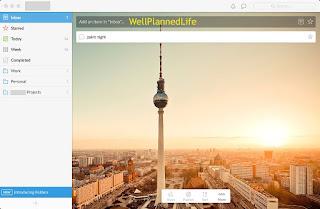
My last post discussed my paper planner lists, how I use them, and how I accomplish those tasks.  Today, continuing with my list series, I will discuss how I use Wunderlist for my “active” digital lists (as opposed to “inactive” of reference lists, which I will write about next time).  I originally wrote about Wunderlist back in 2013 , but of course there have been updates to both the product itself and how I use it. First, what I love about Wunderlist is that is available in all formats—web, mobile, Mac app—all of which I use.   I have the app downloaded to my Mac, I use the mobile versions for both iPad and iPhone, and I use the website while at work.   (They do make an app for various Windows operating systems, but the website is easiest for me to use since I use multiple computers that are shared by many.)   All of my information syncs seamlessly, though I admit that the web version is a little finicky where syncing is concerned.   I do come acro...

One Confusing Planner Sighting

A couple of weeks ago, I attended a meeting.   We had a guest speaker come in to talk to the group.   The first thing I noticed about this woman was the huge planner she was carrying.   She carried it in the crook of her arm, not stowed away in a bag.   Naturally, I got excited, hoping to see this planner in action. Once we all sat down, I could tell that it was a Franklin Covey binder , something along the lines of their Classic size .   It was black and shiny and wonderful.   It looked very new, which was confirmed once she opened the binder to that day’s inserts—the Monticello two pages per day , to be exact, with the matching tabbed months interspersed throughout.   (From what I could tell, she had the entire year in that binder.)   There was nothing written on that day’s pages.   My thought was, “Well it’s new, so I can understand that.   But she doesn’t even have this meeting written in.”   I wasn’t judging, mind you. ...

Google Inbox: First Impressions Review

Image
If you read my last post, you know how I use my email to help me stay organized.   Compared to some—many, perhaps—I don’t get a lot of email, and most of what I do get comes from me, articles I want to read to things I want to research or videos I want to watch.   Even my work email (used in a similar fashion to my personal email) isn’t that overloaded.   Still, it helps that each time I open either account, I clean out what I don’t need. However, there are people who are inundated with emails, people who have to schedule specifics times—and limits—for checking email just because of the amount of emails they get. Google has created a new email interface called Inbox .   Still in beta, you can only get Inbox via an invitation, either by requesting one from Google or receiving one from someone who has already gotten their invite, just as they did with Gmail when it first came out.   It took me a few weeks to receive my invite, but now that I have, and h...